Free Download Deep Freeze Enterprise 7.61.220.4320 Final Version Terbaru April 2013


Free Download Deep Freeze Enterprise 7.61.220.4320 Final Version Terbaru April 2013 - Deep Freeze Enterprise merupakan sebuah software utility yang bertugas untuk membekukan sistem pada semua konfigurasi sistem pada PC kita,sehingga pada saat kita restart PC kita,keadaan PC kita akan kembali seperti semula atau normal. Software ini memungkinkan data yang tersimpan dalam PC kita aman. Software ini cocok sekali bagi anda yang memiliki usaha warnet maupun game center, karena untuk mencegah terjadinya kesalahan konfigurasi komputer maupun serangan oleh virus.

Deep Freeze sekarang telah keluar versi yang terbaru, yaitu Deep Freeze Enterprise 7.6. Versi ini sekarang telah mendukung sistem operasi terbaru, Windows 8, sehingga masalah kompabilitas dengan windows 8 sudah teratasi dengan baik.

Apa saja sih fitur-fitur terbaru yang terdapat pada Deep Freeze 7.6 ini? Silahkan lihat pada ulasan dibawah ini :
Mengembalikan pengaturan 100% dengan sempurna
Support multiple hard drive.
Menu GUI yang mudah diatur
Reboot dalam mode "Thawed" untuk membuat perubahan permanen pada konfigurasi sistem
Penggunaan memori yang lebih rendah
Mendukung sistem Windows 32 bit dan 64 bit
Perlindungan dengan password untuk mencegah akses asing

Situs asli : http://www.faronics.com/en-uk/products/deep-freeze/enterprise/

Versi terbaru : v7.61.220.4320 (maret 2013)

OS: Windows XP/Vista/7/8

(283.37 KB)

For More Software in This Blog,, follow this link : Software Multimedia Komputers
*********************************************************************************
»»  Baca Selengkapnya...

Posted in | Leave a comment

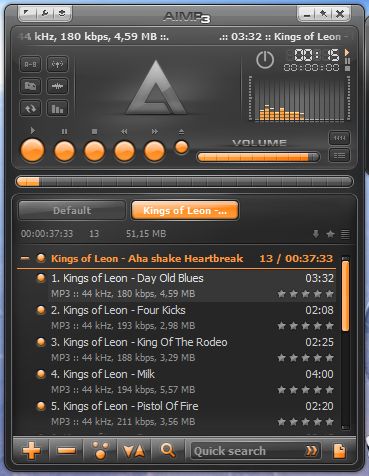
Download AIMP Music Player 3.50 Build 1224 Full Terbaru 2013

AIMP 3.50 Build 1224 Full Terbaru 2013 - Karena pada posting sebelumnya saya telah memberikan Winamp Pro Media Player, kali ini saya akan memberikan software Media Player yang berbeda yaitu AIMP. AIMP ini dalam fungsionalitas hampir sama dengan Winamp. Hanya saja pada masing-masing tampilan fiturnya yang berbeda. Terlebih lagi, kelebihan AIMP ini jika dibandingkan dengan Winamp, media player ini sangat ringan filenya dibanding Winamp. Dan tidak kalahnya lagi, AIMP ini sama-sama memiliki Skin (tampilan warna) yang sama seperti Winamp.

Adapun Fitur AIMP 3.50 :
Media Player yang Free
Dukungan untuk sejumlah besar format musik
Besar fungsi dan antarmuka intuitif
18-band EQ dan built-in efek suara
Penggunaan playlist sekaligus
Dukungan untuk modul tambahan fungsionalitas
Anda dapat menambahkan fitur baru dan memperluas yang ada, terhubung plugins seperti Input, Gen, DSP dari Winamp
Mematikan komputer
Online radio
Penciptaan bookmark dan antrian pemutaran
Hot kunci
Multilingual antarmuka
Multiuser modus
Beberapa pengguna menggunakan satu komputer? Itu bukan masalah.
Penuh Unicode dukungan
File pencarian terbuka pada semua Playlist
Fleksibel program pengaturan
Ukuran kecil dari program distribusi
Audio Converter
Audio Grabber
Soung Perekam
Tag Editor
Audio Library


SCREENSHOT :


# Untuk DOWNLOAD skin pack yang lain, klik disini (skip ad )
# Untuk DOWNLOAD software nya silahkan, Klik disini Size: 7.36 MB (skip ad )


For More Software in This Blog,, follow this link : 
Software Multimedia Komputers
# ***************************************************************************** #
»»  Baca Selengkapnya...

Posted in | Leave a comment

Download Smadav 9.3 Antivirus Indonesia Terbaru Mei 2013 Gratis


Download Smadav Antivirus Indonesia Latest Version May 2013. SmadAV is antivirus for your computer extra protection, total protection USB stick, and thoroughly cleaning the virus is widespread.4 main functions of SmadAV :

1) additional protection for your computer, 100% compatible with other antivirus!
Most antivirus software can not be installed with other antivirus, it is because the antivirus is designed for primary protection on your computer. Unlike the SmadAV, is a type of antivirus SmadAV are designed as additional protection, so 100% compatible and can work well although there has been another antivirus on your computer, in this case SmadAV serves as a second line of defense. SmadAV has its own way (behavior, heuristic, and whitelisting) in detecting and cleaning viruses that will further enhance the security on your computer. Because the resource usage is very small SmadAV, SmadAV will not increase your computer's performance under heavy use. So, with a mix between SmadAV and antivirus protection that is installed on your computer will further strengthen the defense of your computer from virus infection.


2) Best USB Antivirus (Total Protection USB stick)

USB stick is one of the largest media spread of the virus in Indonesia. SmadAV have special technology for total prevention of virus that spreads via USB stick. SmadAV mission is 100% no virus infection of the flash. SmadAV have enough signatures of viruses that infect the flash, and has the special ability to detect new viruses in pendrive although not in the database SmadAV. Not only prevention, Smadav also able to clean up a virus that infects and restore virus hidden files on the USB stick
3) Best for offline use (no need to update too often)

SmadAV very well be used for computers that rarely or even not connected to the internet. SmadAV do not need to update as often as other antivirus that usually do updates per week and even per day. SmadAV usually do updates only once a month (monthly). SmadAV not overly dependent on the signature / virus database, but much depends on the behavior detection techniques, heuristic, and whitelisting.
4) Cleaner and tools to clean the virus

SmadAV also able to clean the virus that has infected your computer and repair registry altered by the virus. Other antivirus usually not done cleaning the registry so that the computer has not returned to normal after cleaning the antivirus. Many supporting tools that are included in SmadAV as a weapon for cleaning the virus. Note: Not all types of viruses can be cleaned SmadAV, SmadAV is still not able to clean the virus type or types of rootkits penginfeksi program (eg virus Ramnit, Sality, Alman, Virut, etc..) Because this strain has blown most of your program files . Our focus at this time is due to the type of virus clearance in addition to the two types (eg: virus WormShortcut, Cervical, MSO, Brontok, etc..)

How? Do you interested in SmadAv ?

Come on, don't be shy, if you like it... why you don't just try it ?!
Here, you can download it bellow+key :
==========================================================
Link Download
(direct link) : Link 1 | Link 2
=====================================================

Ok,, that's it!! Hope you like it,, cause it no. 1 Antivirus in indonesia !!

Okey,, For More Information VISIT THE WEBSITE WWW.SMADAV.NET !!

THANK YOU 4 VISITING MY BLOG !

Download Smadav Antivirus Indonesia Latest Version May 2013

For More Software in This Blog,, follow this link :
Software Multimedia Komputers
»»  Baca Selengkapnya...

Posted in | 1 Comment

Download Audacity 2.0.3 Terbaru 2013 Free for windows xp/7/8

Audacity adalah software gratis yang diperuntukkan untuk para editor suara. gampang digunakan dan multilingual editor suara untuk windows, mac OS X, GNU/Linux dan juga untuk Sistem Operasi yang lain.


Fitur-Fitur Audacity :


  • Merekam suara secara langsung
  • Mengkonversi ke tape dan merekam kedalam rekaman digital atau ke CD/DVD.
  • Mengedit File Ogg Vorbis, MP3, WAV atau AIFF.
  • Cut, copy, atau menyambung file suara.
  • Mengatur kecepatan dari file suara.
  • Dan masih banyak lagi yang lainnya silahkan kunjungi websitenya.
Untuk mendownload softwarenya silahkan klik di bawah:

Audacity untuk ukuran file kecil (8.1 MB) yaitu (.zip) Klik Disini
Audacity untuk ukuran file besar (20.3 MB) yaitu (.exe termasuk menu Help ) Klik Disini

Blogger yang baik selalu memberi komentar yang baik yang bersifat membangun... !!!

For More Software in This Blog,, follow this link : Daftar Software Multimedia Komputers
»»  Baca Selengkapnya...

Posted in | Leave a comment

Download Appserver 2.6.0 Apache PHP MySql Terbaru 2013 + Cara Install Appserver

Appserver adalah aplikasi yang memiliki fungsi untuk menginstal beberapa program yaitu Apache, PHP, MySQL dalam sekejap. Dengan adanya Appserv orang sangat dipermudah. Beberapa Fitur Appserv adalah Apache, PHP, MySQL, phpMyAdmin

Yang membedakan Appserv dengan yang lain adalah dia hanya menginstal tools yang benar - benar digunakan, sehingga dalam folder direktori itu sedikit, sehingga tidak memakan space terlalu banyak :) . Anda dapat membuat web server, database server dalam 1 menit. Beberapa pertanyaan AppServ dapat menjadi Produksi nyata Web Server atau Database Server.

Untuk Mendownload Softwarenya, silahkan klilk link dibawah ini :

Direct Link Download :
Link 1Appserver Terbaru 2013
Link 2Appserver Terbaru 2013


Cara Download
- Klik Link diatas, Tunggu Beberapa detik hingga muncul tulisan Skip/Skip ad, 
- klik Skip/Skip ad yang ada di pojok kanan atas dan download...

Cara Install Appserver

Berikut langkah-langkah instalasinya :

1. Klik software seperti biasa..
2. Tunggu Beberapa saat...
3. Jika pada saat instalasi diminta “Server name” dan “email” silahkan isi dengan “localhost” dan alamat email  
    Anda
4. Jika diminta password, isikan saja “root” di kedua kolom
5. Setelah proses instalasi tuntas, permasalahan biasanya akan terjadi disini, untuk mengatasinya silahkan 
    baca langkah selanjutnya
6. Buka UACS (User Account Control Setting) di Control Panel – System and Security – Change User 
    Account Control Setting
7. Ubah UACS ke posisi “default”
8. Namun tidak berhenti disini saja, Anda juga perlu merubah file hosts yang terdapat di 
    C\Windows\System32\Drivers\etc\
9. Buka aplikasi notepad terlebih dahulu, eittss…jangan langsung dibuka, tetapi klik kanan dulu icon 
    notepad, lalu pilih “Run as administrator”
10. Setelah notepad terbuka, baru pilih open dan browse file hosts di lokasi tadi
11. Kemudian Anda tinggal menghapus tanda hashtag/pagar (#) yang ada di baris “# 127.0.0.1 localhost”
12. Simpan file, dan tutup notepad
13. Selamat menggunakan Appserv

=======================================================================
Tinggalkan Komentar yang baik,,, no SARA
=======================================================================

For More Software in This Blog,, follow this link : Daftar Software Multimedia Komputers
»»  Baca Selengkapnya...

Posted in | 2 Comments

Free download internet download manager 6.15 terbaru 2013


Download IDM Terbaru 2013 - Kini saatnya anda download IDM terbaru full version gratis alias free dan tentunya full crack juga. Mungkin hampir semua para netter yang kerjaannya cuman didepan komputer pasti tau software yang satu ini. Yap, IDM merupakan salah satu software untuk mempercepat proses download file seperti lagu, video, atau software. Dan ternyata memang terbukti ampuh, idm bisa mempercepat proses download file. Dan kali ini sudah ada IDM Terbaru yang bisa anda dapatkan secara gratis. Download IDM Terbaru kali ini sudah saya buktikan sendiri. Nah untuk itu silahkan anda semua download IDM full version nya lewat link dibawah ini.

Berikut ini link untuk download idm terbaru full version.

Download IDM 6.15 > klik disini
Download Patch > klik disini atau klik disini


Nah silahkan download idm terbaru gratis diatas. Untuk cara patch nya agar jadi full version saya rasa anda sudah tau. Kalo belum tahu silahkan cari di google ya. Gampang kok caranya.
Semoga download idm terbaru full version kali ini bermanfaat untuk anda.
»»  Baca Selengkapnya...

Posted in | Leave a comment

Download VLC Media Player Latest and Full Version on Mei 2013


What is VLC ?

VLC media player (informally just VLC) is a highly portable free and open-source cross-platform media player and streaming mediaserver written by the VideoLAN project.

Supported Format?

VLC media player supports many audio and video compression methods and file formats, including DVD-Video, video CD and streamingprotocols. It is able to stream over computer network and to transcode multimedia files.[7]

The default distribution of VLC includes a large number of free decoding and encoding libraries, avoiding the need for finding/calibrating proprietary plugins. Many of VLC's codecs are provided by the libavcodec library from the FFmpeg project, but it uses mainly its ownmuxer and demuxers and its own protocols. It also gained distinction as the first player to support playback of encrypted DVDs on Linux and OS X by using the libdvdcss DVD decryption library.


Operating system compatibility

VLC media player is a cross-platform media player, with versions for Microsoft Windows, OS X, GNU/Linux, Android, BSD, Solaris, iOS, Syllable, OS/2, eComStation, BeOS, and QNX.[7]However, forward and backward compatibility between versions of VLC media player and different versions of OS are not maintained over more than a couple or so generations.

Windows 8 support

The VLC port for Windows 8 is backed by a Kickstarter campaign to add support for Microsoft’s new Metro/Modern GUI, it could bring support for DVDs, VCDs and unencrypted Blu-ray discs which are not supported in Windows 8.[27] All the existing features including video filters, subtitle support and an equalizer will be present in Windows 8.
Android support

In May 2012, the VLC team stated that a version of VLC for Android was being developed. A beta version has been made available on Google Play.


DOWNLOAD LINK


How to download file ?
- klik one of the link above
- wait about 7 or 5 seconds, then klik skip/skip ad (upper right corner)
- last, wait untill download dialogue appear, klik download..

For More Software in This Blog,, follow this link : Software Multimedia Komputers
»»  Baca Selengkapnya...

Posted in | Leave a comment

Download Smadav rev 9.2 Pro Update Terbaru April 2013

Smadav adalah sebuah software anti virus yang paling populer di Indonesia, yang memiliki jumlah pengguna yang sangat banyak. Antivirus ini sangat dibutuhkan oleh pengguna komputer dan merupakan hasil karya anak negeri, yang sangat ampuh untuk membasmi serangan virus berbahaya.

Salah satu kelebihan dari antivirus smadav adalah dapat di gabungkan dengan anti virus internasional. Dan hasil penggabungan tersebut maka Smadav akan semakin optimal dalam menjalankan kinerjanya, untuk membasmi virus–virus yang telah menyebar luas dalam komputer.

Tidak banyak orang yang mengetahui tentang artian nama smadav, nama tersebut di ambil dari nama sekolah menengah atas di kota Palangkaraya, Kalimantan Tengah. SMADA dari nama singkatan sekolah SMA 2, sedangkan untuk AV ialah singkatan dari anti virus.

Semenjak terciptanya perangkat lunak Smadav hasil karya Zainudin Nafarin yang waktu itu masih duduk di bangku SMA 2 Palangkaraya, maka semakin banyak orang yang menggunakan untuk pengaman komputer/laptop. Pasalnya software buatan zainudin ini sangat ampuh dalam menangkal virus–virus yang telah menyebar luas dalam komputer dan mencegah datang kembali.

Hasil karya ini merupakan sebuah hasil karya yang sangat canggih dan tentunya harus kita acungi jempol. Karena perangkat lunak karya anak bangsa dalam kinerjanya, mampu bersaing dengan anti virus hasil buatan luar negeri.

Update terbarunya ialah Smadav 2013 Rev. 9.2, dengan penambahan database 229 virus baru, support untuk Windows 8 (Smadav dapat digunakan di Windows XP/Vista/7/8), perubahan tampilan, dsb. Untuk memperoleh smadav pro terbaru secara gratis, silahkan download smadav pro 9.2 terbaru 2013 di bawah ini.


untuk merubah smadav jadi pro silahkan pakai key di bawah ini !!!
==============================================
Name : InfoDariBlogspot Key : 991299324816
==============================================
Name : MrAhmadi Key : 993899365640
==============================================
»»  Baca Selengkapnya...

Posted in | Leave a comment

Download Browser Google Chrome 25.0.1364.172 Terbaru April 2013


Google Chrome adalah browser yang menggabungkan desain minimal dengan teknologi canggih untuk membuat web lebih cepat, lebih aman, dan lebih mudah

Fitur Google Chrome :

- Satu browser untuk segalanya
- Ketik di address bar dan anda akan mendapatkan
  saran untuk pencarian dan halaman web.
- Thumbnail situs atas
- Mengakses halaman favorit Anda dengan 
   kecepatan yang signifikan dari setiap tab baru.
- Mode penyamaran


Tidak ingin laman yang Anda kunjungi muncul dalam riwayat web/history Anda? Memilih mode penyamaran untuk mode Penjelajahan Pribadi atau dengan bahasa lain di mozilla firefox adalah private browsing.
Safe browsing
Google Chrome akan memperingatkan Anda jika Anda akan mengunjungi web yang dicurigai mengandung phishing, malware atau situs sejenis yang tidak aman menurut google.


File Size: 31.75 MB
Publisher: Google
OS Support: Windows 2000/XP/2003/Vista/7/8


>>>> DOWNLOAD atau DOWNLOAD <<<<< 
(skip ad / skip )

For More Software in This Blog,, follow this link : Software Multimedia Komputers
*********************************************************************************
»»  Baca Selengkapnya...

Posted in | Leave a comment

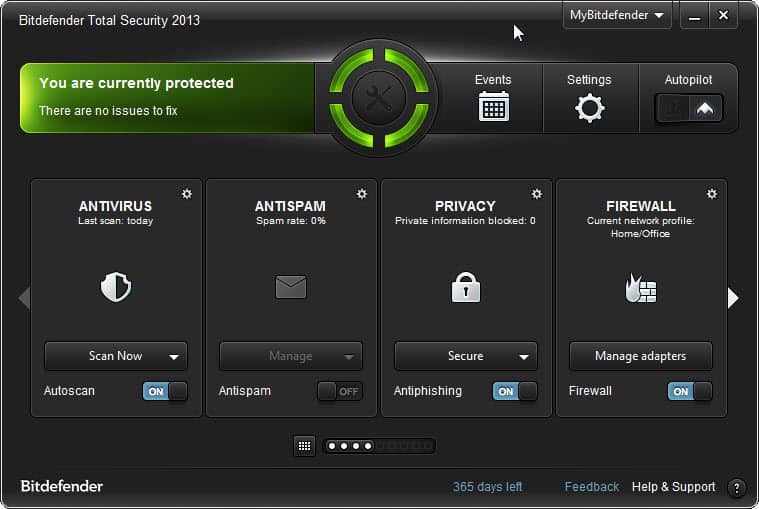
Download Bitdefender Total Security 2013 Full + Crack Until 2045 Dan Cara Update

Download Bitdefender Total Security 2013 Full + Crack Until 2045 Dan Cara Update – Antivirus Bitdefender yaitu antivirus yang disebut-sebut sebagai antivirus no 1 di dunia. Seperti yang kita tahu, bitdefender total security adalah bitdefender yang tingkatnya paling tinggi di antara bitdefender yang lain dan sudah pasti bitdefender adalah antivirus yang mampu mengatasi virus, spyware dan yang lainnya yang dapat mengancam PC yang kita gunakan.

Screenshot :
Tampilan Bitdefender Total Scurity 2013 :

Tampilan Crack Until 2045 :

Cara install :

Install BitDefender Total Security 2013
Pilih I want to evaluate this product dan masukkan email anda lalu klik install
Selesaikan instalasinya, lalu klik finish

Cara Cracking :
Restart komputer dan beralih ke safe mode dengan cara tekan F8 saat booting komputer kemudian pilih safe mode
Kemudian Buka cracknya ( harus yakin kalau tidak ada antivirus yang aktif terlebih dahulu, kalau ada nonaktifkan untuk sementara )
Klik Year 2045 lalu Klik Exit, dan restart komputer lagi dengan normal
Buka BitDefender Total Security 2013 dan sekarang Anda telah mendapatkan license aktif sampai 2045.


LINK DOWNLOAD

>>> Download Bitdefender Total Security 2013 32Bit Installer <<<

>>> Download Bitdefender Total Security 2013 64Bit Installer<<<

>>> Crack Bitdefender Total Security <<<


Agar Anda tidak mendapat masalah ketika mengupdate, saya akan share juga cara update manualnya agar tidak di block.


Cara Update :
Kunjungi situs update manual bitdefender total security 2013 ini disini
Pilih 32-Bit atau 64-Bit, lalu otomatis download.
Setelah selesai downloadnya anda buka programnya yaitu weekly.exe, jika Windows 7 klik kanan lalu run as administrator
Selesaikan hingga akhir proses
Selesai. Bitdefender Anda sudah terupdate
Sesuai dengan nama programnya weekly.exe, jadi manual update dan download weekly.exe seminggu sekali saja yaitu pada hari jum’at.

For More Software in This Blog,, follow this link : Software Multimedia Komputers
»»  Baca Selengkapnya...

Posted in | Leave a comment

Download GOM Player 2.1.47.5133 Terbaru 2013 Free Full Version

GOM Player 2.1.47.5133 Gratis Full Version. GOM Media Player merupakan perangkat lunak pemutar video media player yang saat ini sangat populer didunia dengan sepenuhnya gratis.
Tidak hanya gratis namun GOM Player juga didukung dengan built-in mendukung untuk dapat memutar semua format audio dan video yang paling populer maupun format yang jarang kita temui, serta banyak fitur canggih yang ada didalamnya, customizability ekstrim, dan Codec Finder layanan yang dibberikan Gom Player ini.
GOM Media Player didesain dengan user friendly untuk memudahkan anda dalam memenuhi semua kebutuhan pemutaran audio/video Anda. Dengan jutaan pengguna di ratusan negara.


SCREEN SHOT:


Keunggulan utama GOM Media Player :

Codec Finder
GOM Player mencakup banyak codec (XviD, DivX, FLV1, AC3, OGG, MP4, H263 dan lebih) sehingga Anda tidak perlu menginstal codec terpisah untuk video yang paling. Bagi mereka yang membutuhkan video codec yang terpisah, GOM Player akan menemukan satu.

Play Broken AVI Files (Patented)
Teknologi yang dipatenkan GOM Player memungkinkan pengguna untuk melihat file dengan indeks rusak atau yang masih sedang didownload.

Powerful Subtitle Support
GOM Player mendukung SMI, SRT, RT, SUB (dengan BEI) file untuk subjudul. Anda bahkan dapat menyinkronkan subjudul dan video jika ada ketidakcocokan apapun.

Convenient Playlist
Jika Anda menjalankan file video dan sudah ada file dengan nama yang sama dalam direktori, maka akan secara otomatis ditambahkan ke daftar putar. GOM Player memiliki format yang sama seperti playlist M3U, PLS, ASX.

Support Different Media Types
Seiring dengan format media yang berbeda seperti AVI, MPG, MPEG dan DAT, GOM Player juga mendukung format streaming Windows media (WMV, ASF, ASX). Anda juga dapat menonton video berkualitas DVD dengan 5,1 channel audio output.


UPDATE DAN PERBAIKAN :

- Ditambahkan dukungan untuk Windows 8 / Windows 98SE.

- Default Transport Stream MPEG berubah.

- Ditambahkan pilihan Aspect Ratio tambahan.

- Masalah pemutaran Audio dikoreksi.

- RTL Dukungan Bahasa Subtitle sekarang diaktifkan secara default.

- Informasi File Playback sekarang akan mencakup versi GOM Media Player yang digunakan.

- Dikoreksi masalah keamanan

- Berbagai perbaikan dalam kalimat dan ejaan

- Masalah lain-lain lain telah ditangani dan diperbaiki.


Download GOM Player :
Free download Gom Player 2.1.47.5133 >>> DOWNLOAD ( 9.93 MB ) <<< 


Semoga bisa bermanfaat ....

For More Software in This Blog,, follow this link : 
Daftar Software Multimedia Komputers
***********************************************************************
»»  Baca Selengkapnya...

Posted in | Leave a comment

Download Winamp Music Player Latest and Full Version 2013

WINAMP THE BEST CHOICE FOR MUSIC PLAYER !!

What is winamp ?

Winamp is a media player for Windows-based PCs and Android devices, written by Nullsoft, now a subsidiary of AOL. It is proprietaryfreeware/shareware, multi-format, extensible with plug-ins and skins, and is noted for its graphical sound visualization, playlist, and media library features.

What formats is supported ?

Winamp supports music playback using MP3, MIDI, MOD, MPEG-1 audio layers 1 and 2, AAC, M4A, FLAC, WAV and WMA. Winamp was one of the first common music players on Windows to support playback of Ogg Vorbis by default.[5] It supports gapless playback for MP3 and AAC, and ReplayGain for volume leveling across tracks. CD support includes playing and import music from audio CDs, optionally with CD-Text, and burning music to CDs. The standard version limits maximum burn speed and datarate; the "Pro" version removes these limitations.[6] Winamp supports playback of Windows Media Video and Nullsoft Streaming Video. For MPEG Video, AVI and other unsupported video types, Winamp uses Microsoft's DirectShow API for playback, allowing playback of most of the video formats supported by Windows Media Player. 5.1 Surround sound is supported where formats and decoders allow.[7]

For more information go to http://en.wikipedia.org/wiki/Winamp

If you want to try this music player, you can download it below :


Download Winamp


How to download file ?
- klik one of the link above
- wait about 7 or 5 seconds, then klik skip/skip ad (upper right corner)
- last, wait untill download dialogue appear, klik download..

For More Software in This Blog,, follow this link :Software Multimedia Komputers
»»  Baca Selengkapnya...

Posted in | Leave a comment

Download Mozila Firefox Terbaru Bahasa Indonesia April 2013 Free atau Gratis

Browser adalah sebuah program aplikasi yang memungkinkan kita untuk dapat menjelajah berbagai macam informasi di Internet secara lebih cepat dan efektif. Di sebuah komputer atau laptop, tentunya jika tidak ada browser di dalamnya pasti kita akan sangat kesulitan dalam mengakses berbagai informasi yang bisa kita dapatkan dengan mudah di Internet. Browser ini sendiri ada banyak sekali macamnya dan biasanya jika kita menggunakan komputer dengan OS Windows maka browser default yang terdapat di dalamnya adalah Internet Explorer. Seiring dengan berkembangnya jaman, aneka browser yang canggih dan lebih cepat muncul sebagai salah satu solusi kita untuk mendapatkan informasi yang lebih cepat dan efisien. Dari berbagai macam browser yang ada, hanya Mozilla Firefox yang menjadi browser unggulan dan dipakai oleh sebagian besar pengguna komputer PC serta Laptop di dunia. Keunggulan dari Mozilla Firefox tentunya ada banyak sekali, seperti akses internet yang lebih cepat, dukungan add ons firefox yang banyak serta tampilannya yang sangat menawan.


Mozilla Firefox juga sangat kita perlukan apabila di komputer kita belum menyediakan browser yang hebat ini. Dari pengalaman banyak orang yang telah menggunakan browser Mozilla Firefox. Memang sebagian besar dari mereka merasa sangat puas terhadap kinerja dari Browser yang satu ini. Menu-menunya yang sangat ringkas dan komplit menjadikan browser ini kaya akan fitur-fitur pendukung yang sangat keren. Ditambah lagi update terbaru browser ini juga sangat cepat sehingga membuat kita menjadi lebih nyaman lagi dari waktu ke waktu. Untuk hal kompressi data, Mozilla Firefox juga memiliki alat kompresi data yang sangat baik sehingga informasi yang ditampilkan benar-benar bermutu. Selain itu bila dibandingkan dengan browser yang lainnya. Kecepatan dari browser ini dalam membuka sebuah halaman web juga lebih cepat dan singkat, sebuah hal yang jauh berbeda ketika kita masih menggunakan Internet Explorer.


Dengan semakin membaiknya layanan dari browser mozilla firefox ini, maka akan membuat banyak orang tak pernah berhenti untuk mencari informasi tentang mozilla firefox yang paling baru dan terupdate.

tersebut maka blog Multimedia Komputer pada kesempatan kali ini akan berbagi informasi kepada kita semua tentang update terbaru dari browser Mozilla Firefox ini. Buat yang tidak sabar untuk menggunakannya, maka langsung saja download browser mozilla firefox versi terbaru di bawah ini :


(skip ad / skip)

For More Software in This Blog,, follow this link : 
Software Multimedia Komputers
********************************************************************************
»»  Baca Selengkapnya...

Posted in | Leave a comment

Download Teracopy Terbaru 2013 Free Full Version

Assalamualaikum, saya akan share aplikasi teracopy terbaru 2013 full version tanpa registrasi selamanya seumur hidup.
kegunaan aplikasi ini yaitu untuk mempercepat proses copy paste pada suatu komputer atau laptop maupun mengirim file ke flashdis kita sehingga pekerjaan dalam proses copy paste lebih cepat dan lebih mudah serta menghemat waktu.

penggunaannya cukup mudah kita tinggal menginstal saja aplikasi ini di laptop atau pc kita maka aplikasi ini akan secara otomatis bekerja sendiri pada saat kita melakukan copy paste..
bayangkan saja kalau kita mau copy paste sebuah file yang ukurannya sangat besar dan banyak maka kita akan menunggu lama dalam proses meng copy nya.
maka tidak ada salahnya kita menginstal teracopy ini agar prosesnya lebi cepat dan tidak mamakan waktu yang lama.

nama : teracopy terbaru 2013 full version
ukuran : 2,8 mb
licensi : free ( gratis )
os : windows mencakup semuanya

bagi yang mau download file nya silahkan bisa download

atau

For More Software in This Blog,, follow this link : Software Multimedia Komputers
=======================================================================
+++++++++++++++++++++++++++++++++++++++++++++++++++++++++++++++++++++++
=======================================================================
»»  Baca Selengkapnya...

Posted in | Leave a comment

Fitur Rahasia Windows 8 yang tersembunyi

Fitur Rahasia Windows 8 yang tersembunyi - Setelah menggunakan Windows 8 selama beberapa hari, kami telah menemukan beberapa fitur menarik, beberapa di antaranya tidak langsung terlihat di layar. Bagian yang paling aneh adalah bahwa Microsoft belum berbicara tentang beberapa fitur tersebut dalam setiap posting blog resmi mereka.

Demi kenyamanan Anda, hari ini kita akan berbagi topik tentang beberapa fitur rahasia tersembunyi yang kita telah ditemukan di Windows 8. Jadi tanpa membuang-buang waktu, mari berbagi permata tersembunyi di Windows 8:


  1. Hidden Quick Access Menu (Win+X Menu)

Meskipun Microsoft telah menghapus tombol Start dan Start Menu dari Windows 8 Taskbar tetapi mereka telah menambahkan fitur Quick Access Menu (QAM) secara tersembunyi yang menyediakan akses mudah ke banyak aplikasi-aplikasi sistem yang berguna seperti:
Program dan Fitur
Power Options
Sistem Pengaturan
Manajer perangkat
Command Prompt
Task Manager
Control Panel
Cari
Menjalankan
dan beberapa lagi


Untuk mengakses QAM, pindahkan kursor mouse anda ke ekstrim kiri bawah sudut layar dan klik kanan dan Anda akan mendapatkan menu sistem yang tersembunyi seperti yang ditunjukkan dalam mengikuti screenshot:


Anda juga dapat mengaksesnya dengan menggunakan “Win + X” hotkey.


  2. Auto-Save Screenshots

Itu tambahan yang mengagumkan untuk Windows 8. Dalam versi Windows sebelumnya, setiap kali Anda perlu untuk mengambil screenshot layar Anda, Anda harus menekan “PrntScr” kunci atau jika Anda ingin mengambil screenshot dari jendela program yang spesifik, Anda perlu klik di atasnya untuk membuatnya aktif dan tekan “ Alt + PrntScr ”kunci. Setelah melakukan hal ini, screenshot ditangkap oleh clipboard dan Anda harus paste dan simpan menggunakan software editing gambar seperti built-in MS Paint, Adobe Photoshop, dll

Windows 8 membuat seluruh proses jauh lebih mudah. Anda hanya dapat menekan “Win + PrntScr” tombol bersama-sama dan Windows 8 secara otomatis akan menyimpan screenshot di folder Anda perpustakaan“Gambar”. Screenshot disimpan dengan “Screenshot.png” nama. Jika Anda mengambil screenshot lebih banyak, mereka akan disimpan dengan nomor tambahan seperti “Screenshot (2). Png”, “Screenshot (3) png.” Dan seterusnya.


Kami masih bertanya-tanya mengapa mereka tidak menambahkan hotkey “Win + Alt + PrntScr” untuk secara otomatis menyimpan screenshot dari jendela tertentu. Saya berharap mereka akan menambahkannya pada versi final dari Windows 8.

  3. New Hotkey to Access Safe Mode

Dalam versi Windows sebelumnya, jika pengguna ingin boot ke Safe Mode, ia perlu tekan “F8″ kunci pada sistem startup tapi ini baik tua dan juga tahu hotkey tidak lagi bekerja pada Windows 8. Microsoft telah menggantinya dengan hotkey baru.

Hotkey baru adalah “Shift + F8″. Jadi sekarang Anda harus menekan “Shift + F8″ kunci bersama-sama untuk mengakses opsi Safe Mode di Windows 8. Saya tidak dapat memahami alasan di balik langkah ini. Mungkin mereka akan menggunakan “F8″ hotkey untuk beberapa barang baru? Siapa yang tahu?


  4. New Hot Corners in Screen

Windows 8 dilengkapi dengan fitur sudut panas yang memungkinkan Anda untuk mengakses beberapa built-in pilihan ketika Anda memindahkan kursor mouse di sudut layar monitor Anda.

Bila Anda memindahkan kursor mouse Anda ke kiri bawah sudut layar, itu menunjukkan Mulai thumbnail Layar kecil yang memungkinkan Anda pergi ke Start Layar.


Bila Anda memindahkan kursor mouse Anda ke atas pojok kiri layar, itu menunjukkan daftar semua aplikasi Metro berjalan sehingga Anda dapat beralih di antara aplikasi atau menutup sebuah aplikasi.


Bila Anda memindahkan kursor mouse Anda ke sudut kanan atas atau kanan bawah layar, itu menunjukkan Bar baru Mantra di mana Anda dapat mengakses Settings, Cari, Share, Devices dan Mulai pesona Layar.


jika Anda tidak suka Charms Bar secara otomatis muncul di layar segera setelah Anda memindahkan kursor ke kanan atas atau kanan bawah sudut dari dekstop anda.
Demikian artikel tentang Hot | Fitur Rahasia Windows 8 Yang Tersembunyi semoga bermanfaat bagi anda.

Kritik dan saran silakan tinggalkan komentar anda.

SUMBER : http://topbagus.com/
»»  Baca Selengkapnya...

Posted in | Leave a comment

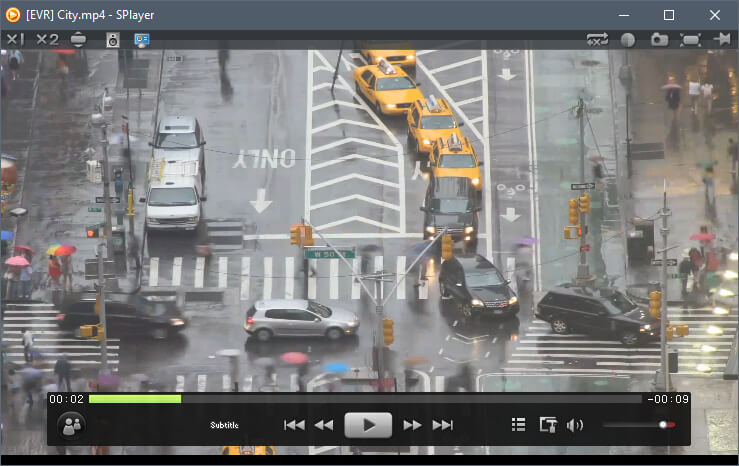
Download SPlayer best media player for free and full mei 2013

SPlayer is a media player that supports most popular formats, including : 
AVI, MP3, WMV, 3GP, OGG, VOB and MKV. The user interface of the program is very attractive due to its simplistic lines. You can import music and movies by using the file browser or the "drag and drop" method. Thus, you can add files to a playlist, create and organize favorites, load the recently played tracks, load subtitles and enable "Smart Subtitle Matching". You can also increase volume over 100% (till 1000%), switch to full screen mode, use an equalizer and channel controller, and take a snapshot.
Furthermore, you can enable loop mode (for the current track or the entire playlist), toggle between quality and performance mode, enable GPU acceleration, use a shader editor, as well as save images or thumbnails from a video. In addition, you can configure audio settings and 3D mode, flip the image and change aspect ratio, view file properties and select the action after playback (e.g. exit program, shutdown computer).
When it comes to the user interface, you can disable Aero Effect mode, switch from minimal to standard view, adjust the level of transparency and use a DSM converter. The program uses a high amount of system resources. It doesn't include a help file, but, other than that, SPlayer is very simple to use even by novices. We definitely recommend it if you want a clean and fresh perspective when it comes to playing media files.

Screenshot :


Features :
  • HD
ShaderEngine : image enhancement engine, reducing screen noise while rendering sharp picture quality
LiveColor : color enhancement algorithms, presenting vivid images
SmartAmplifyTMIntelligent sound field balancing technology, giving your ears a treat
  • Low consumption
FastMotion : significantly reduces CPU and memory footprint. Optimizated for modern multi-core CPU and GPU
PowerTravel power-saving mode, reducing energy consumption and increasing the battery time for notebook
EyeCare : takes care your eyes for long time watching, ensuring a healthy viewing experience
  • Intelligent
Anti-Silly : smart, fuzzy-logical configuration, hundreds of branch logics automatically select the best mode based on the hardware configuration.
CloudMatching : Intelligent Subtitle Display technology, no longer need to google matching subtitles for foreign language films
  • Delicate beauty
After a number of enthusiastic users giving professional advices and design assistance, SPlayer interface focuses at simple, stylish, functional integrity without affecting the general use
For more Information visit the own website : http://www.splayer.org/

to download software file installer.. click download button..

»»  Baca Selengkapnya...

Posted in | Leave a comment

Membangun Website XHTML Sederhana

WEBSITE XHTML

>>>Coding<<<

<!DOCTYPE html PUBLIC "-//W3C//DTD XHTML 1.0 Transitional//EN"
"http://www.w3.org/TR/xhtml1/DTD/xhtml1-transitional.dtd">
<html xmlns="http://www.w3.org/1999/xhtml">
<head>
<meta http-equiv="Content-Type" content="text/html; charset=utf-8" />
<title id="pageTitle">ROBI RAMADHAN SYAH WEBSITE</title>
<link rel="shortcut icon" src="gambar/icon.icon" />
</head>
<body bgcolor="e9d0f4">
<font face="verdana">
<table border="0" style="border-collapse: collapse" width="100%" cellpadding="8" bordercolor="black">
<tr>
  <td width="20%">
    <!-- ini tabel foto -->
    <table border="0" style="border-collapse: collapse" width="100%" cellpadding="8" bordercolor="black">
    <tr>
      <td align="center"><img border="1" height="200" width="140"
src="gambar/fotoku.jpg"></td>
    </tr>
    </table>
    <p><hr /></p> <!-- untuk memberi jarak -->
    <!-- ini tabel menu -->
    <table border="0" style="border-collapse: collapse" width="100%" cellpadding="8" bordercolor="black">
    <tr>
      <td><font size="2">
      <ul>
<strong>ABOUT ME !</strong><br />
<br />
        <li><a href="profil.html" tabindex="1" target="_blank">My Profil</a></li>
        <li><a href="kegiatan.html" tabindex="1" target="_blank">My Activities</a></li>
        <li><a href="foto.html" tabindex="1" target="_blank">My Album Photos</a></li>
        <li><a href="video.html"tabindex="1" target="_blank">My Videos</a></li>
        <li><a href="mailto: robirmz93@gmail.com" target="_blank">My Email</a></li>
<br />
<br />
<br />
<br />
<br />
<br />
<br />
<br />
<br />
<br />
      </ul>
      </td>
    </tr>
    </table>
  </td>

<!-- ini untuk kolom 2 tabel utama -->
  <td valign="top">
    <p align="center"><font size="4"><b>WELCOME TO MY WEBSITE</b></font></p>
    <p><font size="2">I'd like to thanks to you for seeing my website.
On this website you can see my profil and what am i doing all day.
At bottom you'll see my mom and litlle brother.
because i love my family and them all.</font></p>
    <br />
<hr />
<table border="0">
<tr>
<th><a href="index.html">HOME</a> &nbsp; &nbsp; &nbsp; &nbsp; &nbsp; </th><th>&nbsp; &nbsp; &nbsp; &nbsp; &nbsp; <a href="http://multi-komputers.blogspot.com/2013/05/software-multimedia-komputers.html" target="_blank">SOFTWARES</a> &nbsp; &nbsp; &nbsp; &nbsp; &nbsp; </th>
<th>&nbsp; &nbsp; &nbsp; &nbsp; &nbsp; <a href="http://multi-komputers.blogspot.com/2013/05/movie-multimedia-komputers.html" target="_blank">MOVIES</a> &nbsp; &nbsp; &nbsp; &nbsp; &nbsp; </th><th> &nbsp; &nbsp; &nbsp; &nbsp; &nbsp;
<a href="http://multi-komputers.blogspot.com/2013/05/daftar-music-multimedia-komputers-nama.html" target="_blank">MUSIC</a> &nbsp; &nbsp; &nbsp; &nbsp; &nbsp; </th>
<th> &nbsp; &nbsp; &nbsp; &nbsp; &nbsp; <a href="http://multi-komputers.blogspot.com" target="_blank">MY BLOG</a> &nbsp; &nbsp; &nbsp; &nbsp; &nbsp; </th>
<th>&nbsp; &nbsp; &nbsp; &nbsp; &nbsp; <a href="kontak.html">CONTACTS</a></th>
</tr>
</table>
<hr>
<center>
<br />
<br />
<br />
    <p><font face="Times new roman" size="66">
<br /><strong>HELLO WORLD !!</strong><br /><br />
</font></p></center>
  </td>
</tr>
</table>
<hr />
<center><font face="courier new" color="red" align="center">&copy; thank you ! for accessing my website &copy;</font></center>
<hr />
</body>
</html>
</body>
</html>

HASIL 


Link ke Akakom
========================================================================
»»  Baca Selengkapnya...

Posted in | 1 Comment

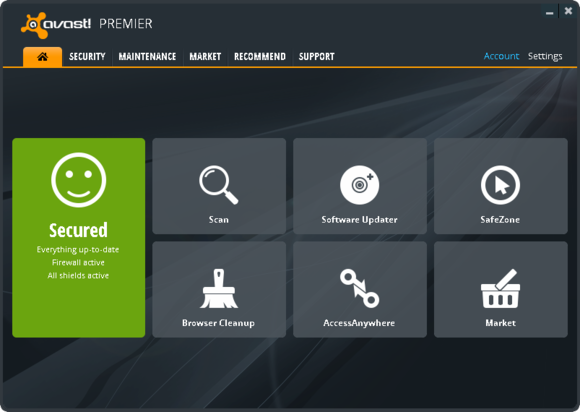
Download Avast Antivirus Internet Security full crack until 2050 Gratis

Avast! Internet Security 2013 provides complete antivirus, anti-spyware, antispam, and firewall protection, complemented by remote assistance options, a software updater, and avast! SafeZone, built specifically for online shopping and banking threats you’ll encounter in 2013.

Screenshot :

Features :

- Antivirus kernel based on certified antivirus engine.
- Resident protection comprising individual modules or "shields", each of which can be individually configured  
  or disabled:
- File System Shield — Real-time protection against viruses and other malware threats. Scans files as they 
  run on your computer to keep viruses from being able to execute.
- Mail Shield — Scans messages and attachments in E-mail/Microsoft Outlook/Exchange for viruses.
- Web Shield — HTTP protection (local transparent proxy). Version 4.8 also allows the blocking of URLs. 
  Scans URLs and incoming data for viruses, and aborts connections to the site if one is found.
- P2P Shield — Scans P2P files from file share programs.
- IM Shield — Instant Messaging protection. (Scanning of files transferred through instant messaging 
  applications)
- etc..

========================================================================
(130 MB)
DOWNLOAD LINK
--------------------------------------
-----------------------------
========================================================================

Note : download 2 files above (part1+part2), JOIN using HJSplit and become RAR file, then Ekstract, and Install  Avastnya Antivirus.

»»  Baca Selengkapnya...

Posted in | Leave a comment

Download Antivirus Norton Internet Security 2013 + Key + Trial Reset

Norton Internet Security, developed by Symantec Corporation, is a computer program that provides malware prevention and removal during subscription period and uses signatures and heuristics to identify viruses. Other features include a personal firewall, email spam, filtering, and phishing protection.

Symantec distributes the product as a download, a boxed copy, and as OEM software. Norton Internet Security held a 61% market share in the United States retail security suite category in the first half of 2007. In this study, competitors, in terms of market share, included security suites from CA, Inc., Trend Micro, and Kaspersky Lab.[1]

Norton Internet Security is available on Symantec's Web site as a download, although users can opt for a physical version on a Compact Disc (CD) for a higher price. Stores may sell boxed copies of Norton Internet Security either on CD or USB flash drive.

Screenshot :


Requirements:
300 MHz or faster processor
256 MB of RAM (512 MB RAM required for the Recovery Tool)
300 MB of available hard disk space
Standard Web browser
Email scanning supported for POP3- and SMTP-compatible email clients.Required for all installations:
Support for AntiSpam feature
Microsoft Outlook 2002 or later
Microsoft Outlook Express 6.0 or later
Browser support for Browser Defense and Phishing Protection features
Microsoft Internet Explorer 6.0 (32-bit only) and later
Mozilla Firefox 3.0 and later


    Download here 
Trial Reset : Link 1 | Link 2

========================================================================
Thanks 4 visit this blog !!
========================================================================
»»  Baca Selengkapnya...

Posted in | Leave a comment